Make the most of the time left.
With Intelligent Octopus Go configured, see how long remains in your active Cheap Window. Useful when deciding what to run before it ends.
Know how long is left in your IOG Cheap Window. See how much solar to expect tomorrow. Choose how far to charge your battery. Your home energy, clearly in view.
A 28-day trial, then a one-off lifetime unlock.
For compatible GivEnergy systems.
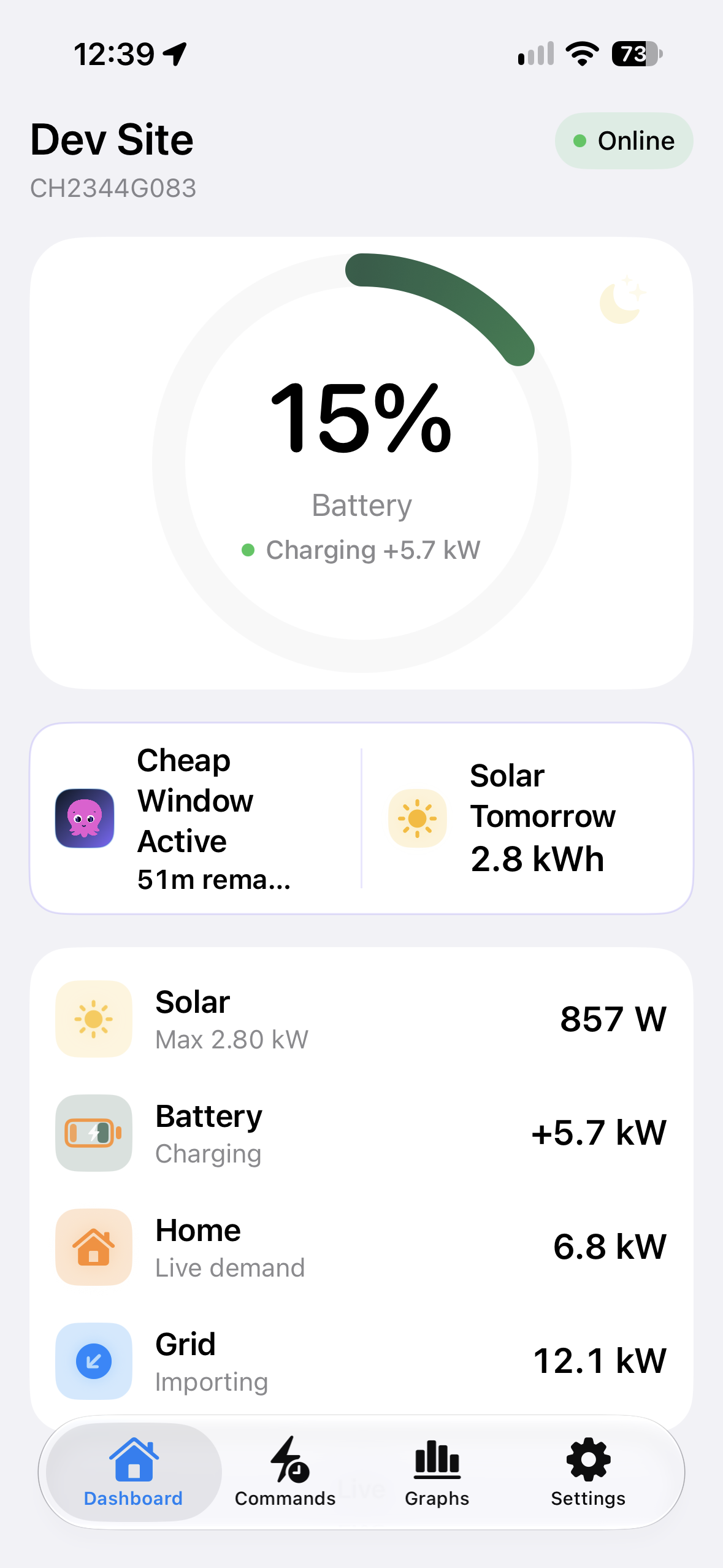
Battery, solar, home and grid information, as your inverter reports it.
Charge, export and Pause, where supported by your system.
Direct local monitoring and control over your home Wi-Fi.
How long is left in your Intelligent Octopus Go Cheap Window? How much solar can you expect tomorrow? Two useful answers, together on your dashboard.
With Intelligent Octopus Go configured, see how long remains in your active Cheap Window. Useful when deciding what to run before it ends.
Solar Tomorrow estimates the generation you can expect from your panels. A little foresight when choosing how much energy you want in your battery overnight.
Solar Tomorrow is a forecast, tailored to your installation. These free optional insights use free online services when configured; you control your battery settings.
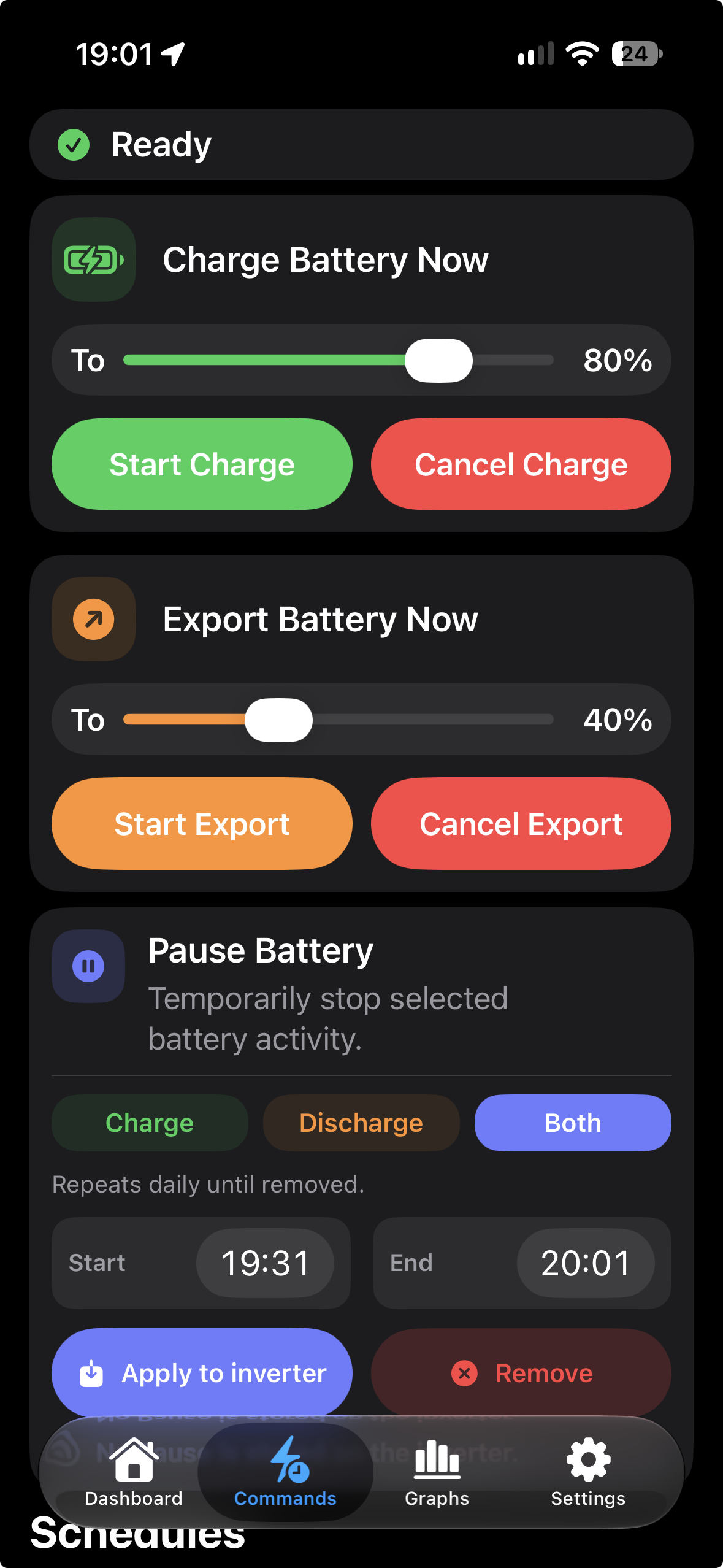
Charge your battery to the percentage you choose. Export down to a chosen level when your system supports it. The controls are right there, together.
Controls depend on your inverter and firmware. Pause windows repeat daily until removed, as shown in the app.
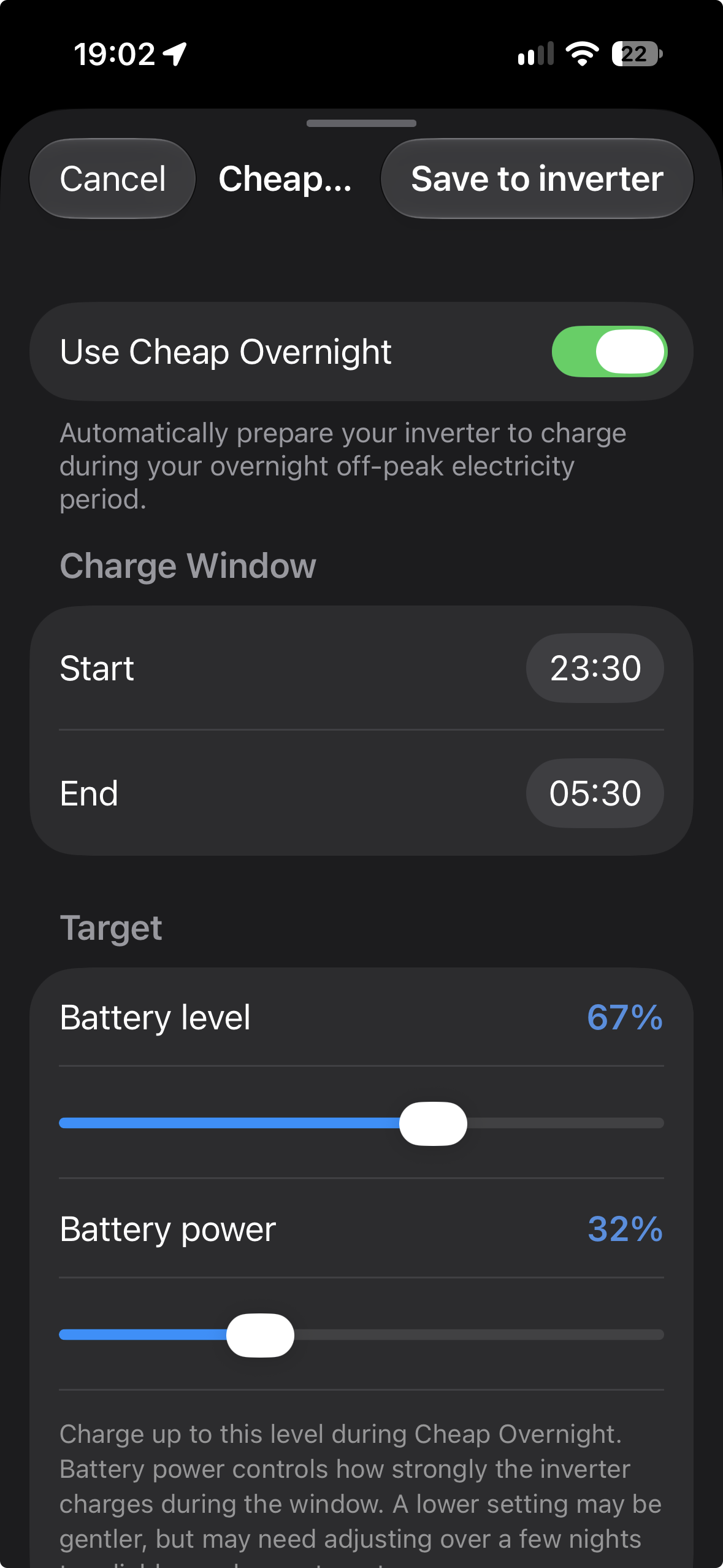
Designed to be used with any overnight tariff: set your off-peak window, the Battery level you want to reach and the Battery power used to charge.
Save the schedule to your inverter. Once confirmed, it can continue with GivHome closed.
Shown here: a 67% battery target and 32% charging power. These are independent settings. A lower power setting may need more time to reach your target.
Battery, solar, home and grid information, clearly presented as your inverter reports it.
See your Battery Level, charging or discharging power, solar generation, home demand and grid import or export.
The dashboard above shows a real moment: a bonus Intelligent Octopus Go EV charging window alongside battery charging. The 12.1 kW grid import is genuine.
See whether your battery is charging or discharging, what your home is using and whether you are importing from or exporting to the grid.
Choose to add your own GivEnergy Cloud API key for monitoring away from home. Supported All-in-One systems also offer remote Charge and Export controls.
Cloud access is optional. Local monitoring and control work without it.
For supported local commands, GivHome checks the inverter’s settings before and after a change.
GivHome reads the inverter before making the supported change you request.
It reads the settings back to check the result reported by the inverter.
If a local change cannot be confirmed, GivHome reports it as unconfirmed. Readback confirms the inverter’s reported settings; it is not independent measurement of the equipment’s physical behaviour.
Start with your system, then explore the controls it supports.
GivHome connects to compatible GivEnergy equipment over your home network. Run Compatibility Check & Diagnostics in the app to see what is available for your installation. Monitoring and control support vary by inverter model and firmware; the screens shown here do not promise every control for every system.
No. GivHome offers the option to integrate basic GivEnergy Cloud access, including access through Axle, via GivEnergy’s API if you wish. Add your own API key to use it. Direct local monitoring and supported local controls work without a GivEnergy Cloud account.
With your own GivEnergy Cloud API key configured, GivHome can show cloud readings while you are away from your local inverter network. Supported All-in-One systems also provide remote Charge and Export controls. Cloud readings can take time to catch up; GivHome distinguishes a request accepted by the cloud from settings confirmed by cloud readback. Cheap Overnight remains a local control. Cloud features require an internet connection and suitable GivEnergy API access.
Yes, where supported by your inverter. To create, change or remove Charge and Export schedules, your iPhone or iPad must be on the same local network as your inverter. GivHome checks saved settings against inverter readback. Cheap Overnight also lets you choose your battery target and charging power separately.
Once GivHome has saved and confirmed the supported schedule on your inverter, the inverter holds those settings and can use them with GivHome closed. Reaching the target depends on the charging power, available time and your system’s operating limits.
GivHome offers a 28-day trial. After the trial, a one-off lifetime unlock keeps Commands and Graphs available. Dashboard and Settings remain available after the trial. Check the app and App Store for current purchase details and pricing.
GivHome is an independent app from Kernowek Consulting. It is not affiliated with or endorsed by GivEnergy or Octopus Energy.
Run Compatibility Check & Diagnostics in GivHome. You can send the generated report when requesting support at givhome@kernowekconsulting.co.uk.
Explore GivHome with your own compatible GivEnergy system.

28-day trial · One-off lifetime unlock
Current pricing and device requirements on the App Store.